Changing Agent/Task Numbers
Prerequisite: Generating Dynamic Tasks
The scenarios discussed so far involve an MT-SR (Multiple Tasks - Single Robot) scenario where individual agents are supposed to handle multiple tasks sequentially. Now, based on the configuration file used in Generating Dynamic Tasks, let’s modify the settings to create an ST-MR (Single Task - Multiple Robots) scenario, where multiple agents collaborate on a single task.
agents:
  behavior_tree_xml: default_bt.xml
  quantity: 400
  ...
  communication_radius: 150
  ...

tasks:
  quantity: 10
  ...
  amounts:
    min: 100.0
    max: 6000.0
  dynamic_task_generation:
    enabled: True
    interval_seconds: 1000
    max_generations: 2
    tasks_per_generation: 5
First, update some parameters for agents and tasks:
The number of agents is increased to 400.
As there will be more agents than before, let us reduce the communication range of each agent to 150 (see Configuration Guide: agents).
The number of tasks starts at 10 and increases by 5 tasks every 1000 seconds for a total of 2 additional generations.
Since multiple agents will collaborate on a single task, let’s adjust the
tasks.amountsrange to [100, 6000] to accommodate the increased workload of individual tasks (see Configuration Guide: tasks).
simulation:
  sampling_freq: 1.0
  ...
  task_visualisation_factor: 100

  rendering_options: # Only works if `rendering_mode` is `Screen`
    agent_tail: True
    agent_communication_topology: True
    agent_situation_awareness_circle: False
    agent_id: False
    agent_work_done: False
    agent_assigned_task_id: False
    agent_path_to_assigned_tasks: False
    task_id: False
Also, modify some other parameters related to simulation rendering:
Modify the
simulation.task_visualisation_factorto 100 to reduce the size of task visualizations on the screen (See Configuration Guide: simulation).Since having a large number of agents can cause the screen to become overcrowded and difficult to interpret during rendering, set most rendering options to
False, except foragent_tailandagent_communication_topology.
decision_making:
  plugin: plugins.grape.grape.GRAPE
  GRAPE:
    cost_weight_factor: 1.0
    social_inhibition_factor: 1
    ...
Lastly, adjust the GRAPE settings:
The current implementation of GRAPE includes the
social_inhibition_factorto address MT-SR scenarios. For MT-SR scenarios we have addressed in the previous tutorials, this value was set to 100. But now, for this ST-MR scenario, let us setsocial_inhibition_factorto 1 as we need not to hinder the agents from collaborating with each other (see Decision-Making Plugins: GRAPE).
Reflecting the above modification, save the configuraiton file as config_grape.yaml. Then, let’s execute the simulator with the configuration file as follows:
python main.py --config=config_grape.yaml
Then, you will see a simulation similar to the following.
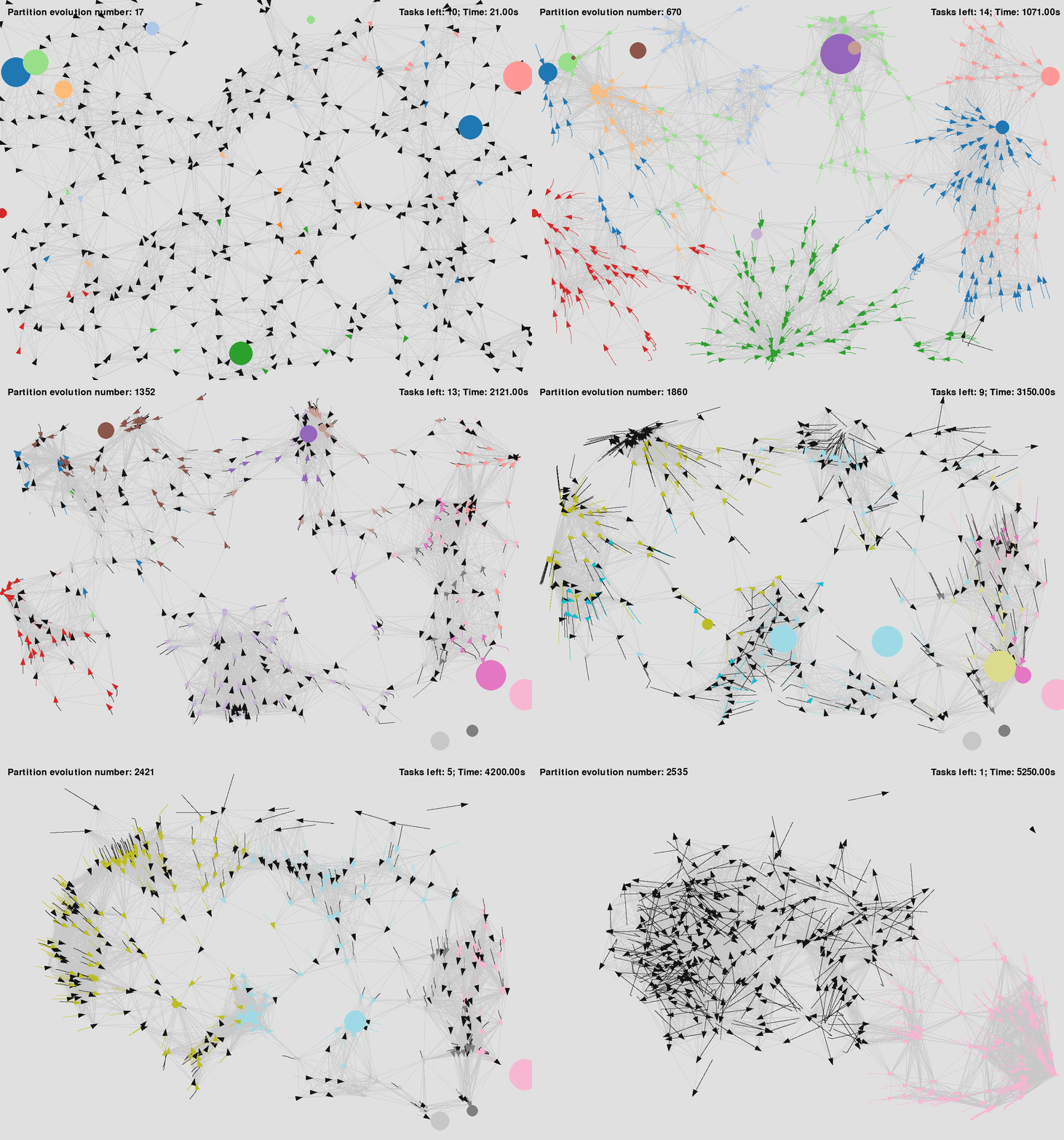
|
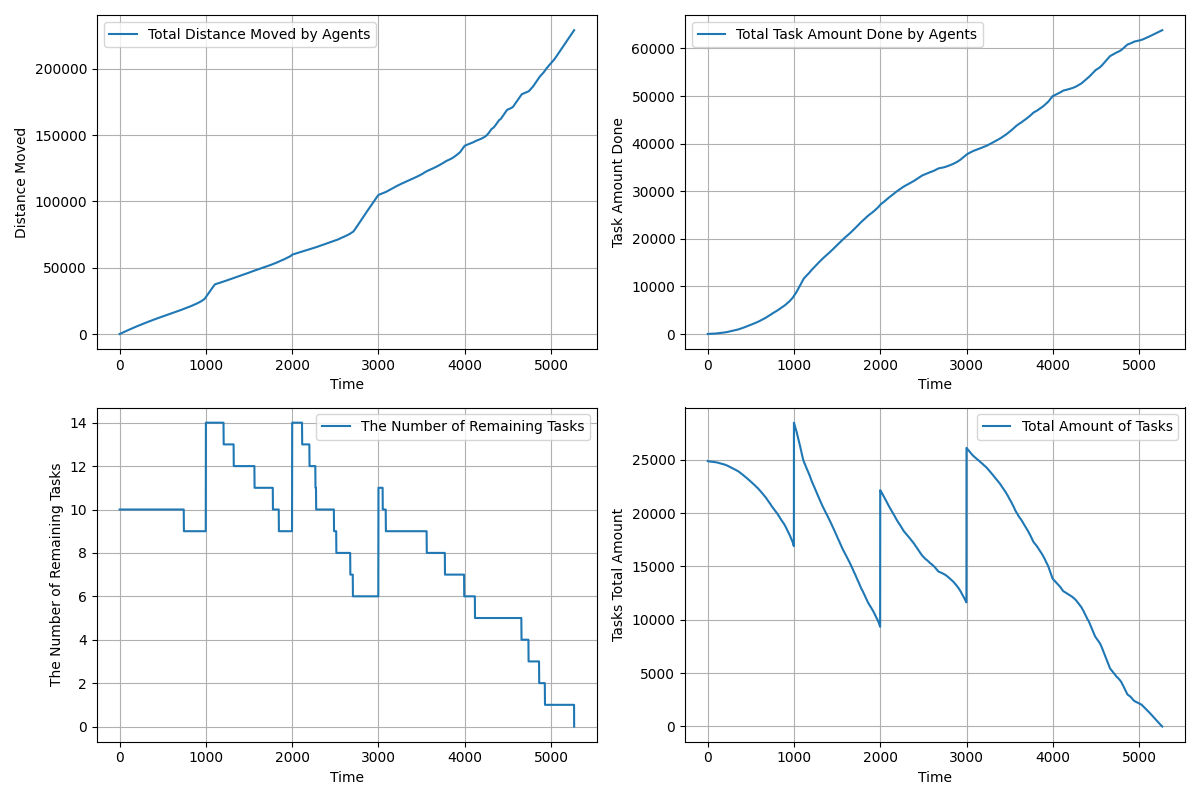
|
See the configuration file used for the above simulation: config_grape.yaml.